
MarketPulse is an insights dashboard designed to help sponsors understand investor sentiment, investment preferences, and the factors influencing investment decisions. These insights can help sponsors refine their outreach, tailor offerings, and strengthen investor engagement.
In addition to insights from your own investor base, MarketPulse benchmarks sentiment and investment trends across investors on the SponsorCloud platform. This broader perspective provides valuable market intelligence to help identify emerging trends, understand investor behavior, and support more informed fundraising decisions.
MarketPulse is available across both the Sponsor Platform and Investor Platform:
- Sponsor Dashboard — Provides visibility into investor sentiment, investment interests, key concerns, and broader market trends.
- Investor Dashboard — Enables investors to complete the MarketPulse survey and view market-level insights based on responses from other investors.
Access MarketPulse as a Sponsor
1. Access & View
-
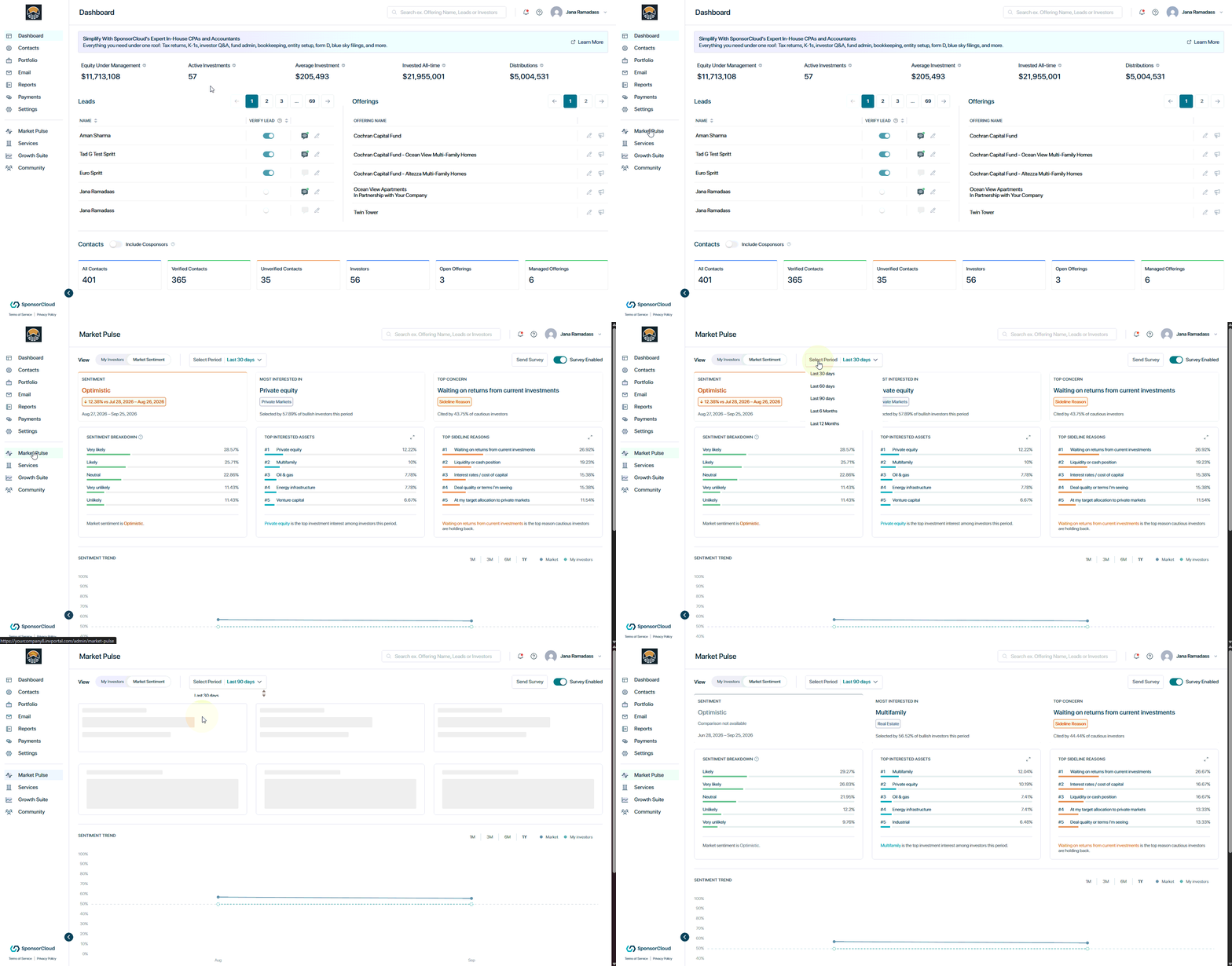
Navigate to the MarketPulse tab from your SponsorCloud dashboard.
-
Switch between:
- Market Sentiment — View sentiment and investment trends across investors on the SponsorCloud platform.
- My Investors — View sentiment and trends specific to your own investor base.
-
Choose a specific month or view the available 12-month trend.
2. Analyze Investor Insights
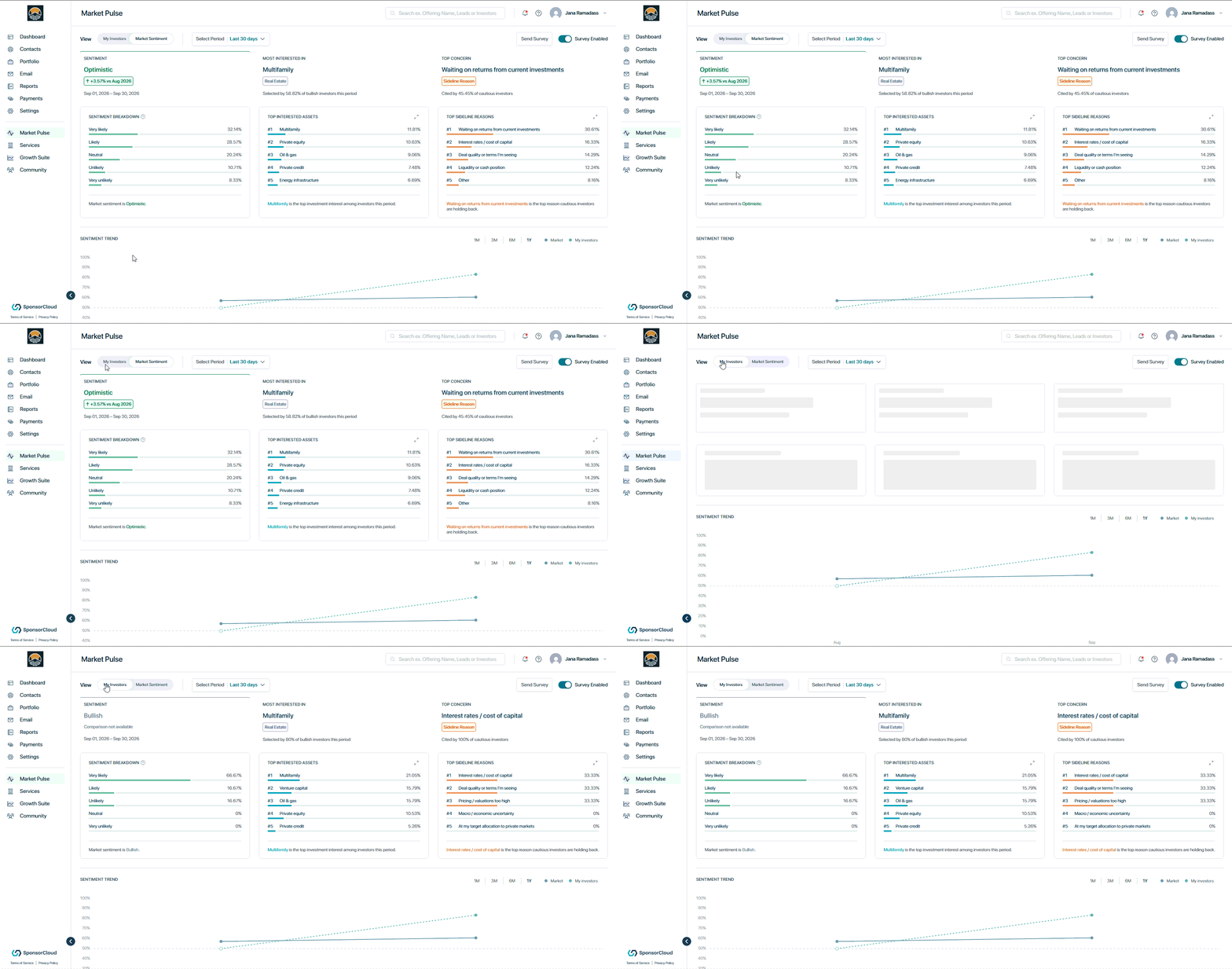
As additional survey data is collected, the trend view will show how investor sentiment changes over time.
The dashboard provides visibility into:
- Overall investor sentiment
- Most interested asset type
- Top investor concern
- Sentiment trends
- Sentiment breakdown
- Top investment interests
- Top reasons investors are remaining on the sidelines
- Individual investor responses, when available
3. Engage Your Investors
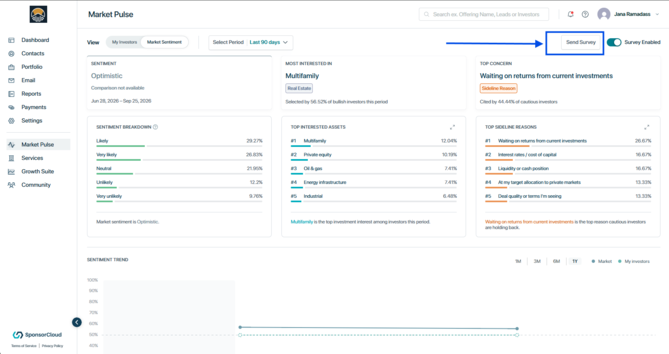
Click Send Survey to encourage investors to participate.
The reminder is shown in-app the next time eligible investors log in.
Note: Send Survey does not send an email. Eligible investors will see an in-app pop-up prompting them to complete the MarketPulse survey the next time they log in.
Access MarketPulse as a Investor
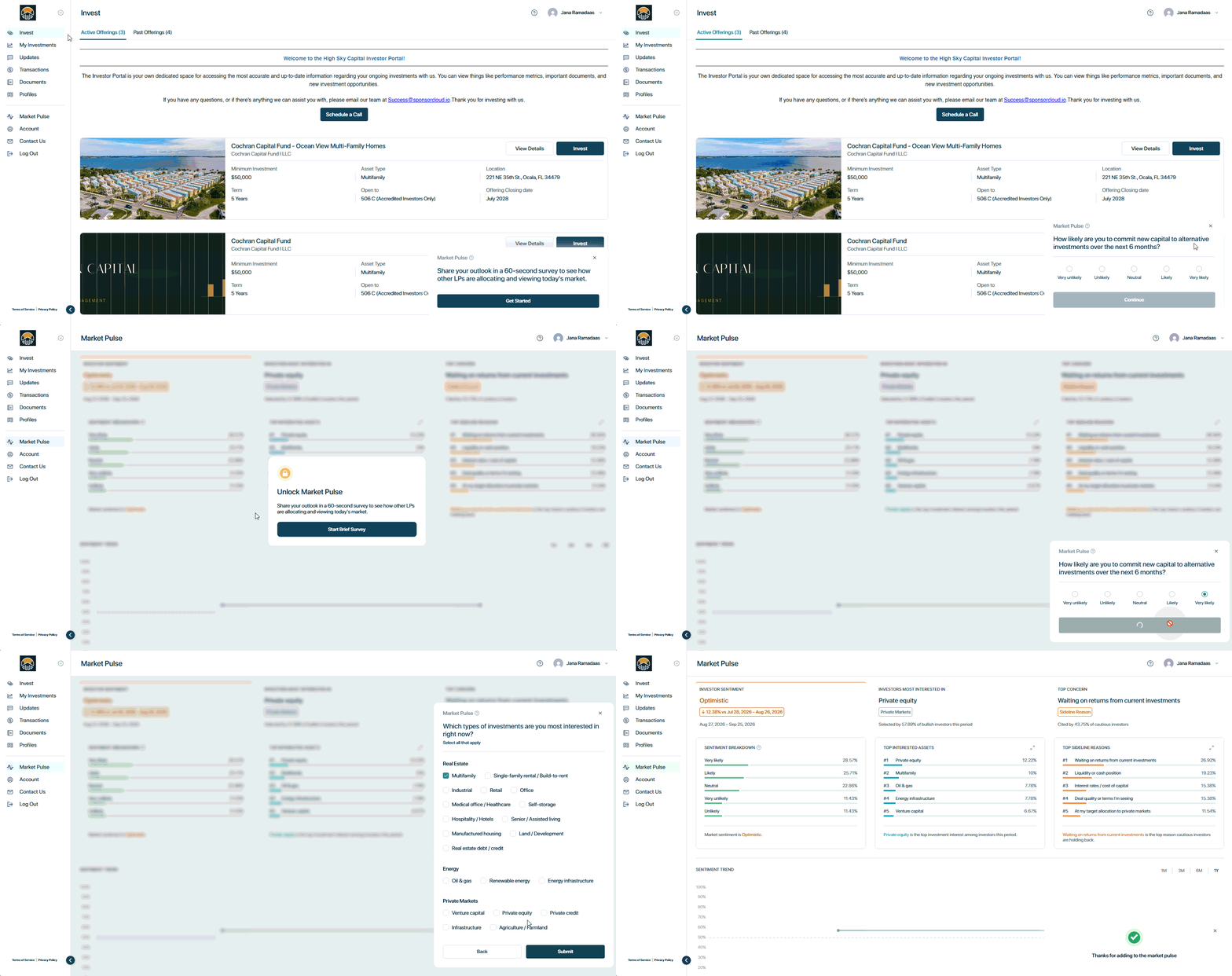
1. Access MarketPulse
New investors are automatically prompted to complete the MarketPulse survey 14 days after registration. They can also participate immediately by navigating to the MarketPulse tab and selecting Unlock MarketPulse → Start Survey.
2. Complete the Survey
The survey asks investors about:
- Their likelihood of investing new capital in alternative investments over the next six months
- The types of investments they are most interested in
- The factors that may be holding them back from investing
3. View Market Insights
After submitting the survey, investors can view broader MarketPulse insights based on responses from other investors across the SponsorCloud platform.
These insights give investors visibility into overall market sentiment, investment interests, and common concerns.
Note: MarketPulse refreshes the survey periodically so investors can update their responses as their investment outlook changes.
👤 For questions or help with the process, email us at success@sponsorcloud.io or Schedule a meeting. An experienced Customer Success Manager will reach out to assist you.